Wrote this post at the 38th National Marketing Conference...
Seated on the speakers couch
I am so glad that I woke up early today to catch the opening of the 38th National Marketing Conference, aptly titled “Da Marketing Code”. I arrived as the “show” was about to start. Good thing I saw past colleague, Maeyeth Cadungog, and she got me through the throngs of people outside of the ballroom. We trailed behind monks. Yes, MONKS!
The ballroom was transformed into a monastery/The Louvre to mimic the setting of the movie, “Da Vinci Code”. It’s a good thing I didn’t read the program (and wasn’t able to attend rehearsals last night) because I was surely awed by the opening program. As Maeyeth asked, “Kinikilabutan ka na ba?” Just to give a glimpse of the atmosphere here at the conference, the video walls are framed with museum frames, bookended by “stained glass” on tarpaulin and paintings adorn the wall. The last time I felt this way was the opening number in the 2003 Advertising Congress (Baguio) and, uh, the fireworks at Disneyland.
Here's Ricky Alegre, Philippine Marketing Association president, during the opening ceremonies:
Here’s a video of Donald Patrick Lim, executive committee head from the Philippine Marketing Association, opening the conference.
Thursday, May 24, 2007


Sunday, May 20, 2007
Why Put Up an Online Store?
I was at the IFEX trade show the whole weekend and quite a number of business owners asked me if they should put up an online store. Their main concern was finding buyers online for their products.
The past few months I’ve been thinking about what kind of product I could probably sell online. Products that are known to be sellable online include music (CDs), books, online services like hosting/domains etc., a couple of gadgets to the mundane like trinkets/fashion accessories, swimsuits, t-shirts and what-nots. I want an online business because; (1) I don’t want the huge risk involved in setting up a shop; (2) I don’t have the capital to set-up a shop – this entails rent and stocks; (3) I don’t have the storage space; and (4) I don’t have that much time.
I thought about many, many things to sell online, but I’ve been getting side-tracked since I’m busy with my work. And then it dawned on me the other day while talking to a business owner.
You can sell anything online. Yes, anything.
Why?
Because you need not market to the masses to sell your wares. You don’t need a thirty million marketing budget to introduce your brand. You just need to speak to those who are interested and will actually buy your stuff.
It could be a mundane as kakanin (Pinoydelikasi.com is known for this), a very specific personal interest like OPM cds (check out Titikpilipino.com) or bakery items (check out a teacher's online bakeshop).
How so?
Because: (1) Only the people interested in your product will actually go to your website; (2) Only the people interested in your product will actually search for you online; and (3) let’s face it, mass marketing is no longer as efficient as it was before, person-to-person marketing is now the name of the game. And there are millions of internet users locally.
And?
That is why search marketing is the most efficient marketing tool nowadays. Why? Read my earlier post on this.
So, should you bother putting up an e-commerce site? YES!
Because it mainly expands your market and allows you to reach customers beyond the borders of your country. And that means sales. And more sales means profit!
Do you have a business you wish to put online? Here are just some companies I know who can help you:
Yehey!
Yehey’s Newest Payment System Kaban
Annex Store
Sheero Media
Spinweb
IAMD Software Solutions
*Note: This is not a paid post, nor an endorsement. The companies I enumerated are just some I have encountered at work.
The past few months I’ve been thinking about what kind of product I could probably sell online. Products that are known to be sellable online include music (CDs), books, online services like hosting/domains etc., a couple of gadgets to the mundane like trinkets/fashion accessories, swimsuits, t-shirts and what-nots. I want an online business because; (1) I don’t want the huge risk involved in setting up a shop; (2) I don’t have the capital to set-up a shop – this entails rent and stocks; (3) I don’t have the storage space; and (4) I don’t have that much time.
I thought about many, many things to sell online, but I’ve been getting side-tracked since I’m busy with my work. And then it dawned on me the other day while talking to a business owner.
You can sell anything online. Yes, anything.
Why?
Because you need not market to the masses to sell your wares. You don’t need a thirty million marketing budget to introduce your brand. You just need to speak to those who are interested and will actually buy your stuff.
It could be a mundane as kakanin (Pinoydelikasi.com is known for this), a very specific personal interest like OPM cds (check out Titikpilipino.com) or bakery items (check out a teacher's online bakeshop).
How so?
Because: (1) Only the people interested in your product will actually go to your website; (2) Only the people interested in your product will actually search for you online; and (3) let’s face it, mass marketing is no longer as efficient as it was before, person-to-person marketing is now the name of the game. And there are millions of internet users locally.
And?
That is why search marketing is the most efficient marketing tool nowadays. Why? Read my earlier post on this.
So, should you bother putting up an e-commerce site? YES!
Because it mainly expands your market and allows you to reach customers beyond the borders of your country. And that means sales. And more sales means profit!
Do you have a business you wish to put online? Here are just some companies I know who can help you:
Yehey!
Yehey’s Newest Payment System Kaban
Annex Store
Sheero Media
Spinweb
IAMD Software Solutions
*Note: This is not a paid post, nor an endorsement. The companies I enumerated are just some I have encountered at work.
Saturday, May 19, 2007
Secrets Revealed: How to Profit from Trade Shows
 I’ve been joining trade shows for more than 8 years now and I had to learn everything from scratch.
Joining trade shows is an effective means of marketing products and services, especially when you have new stuff you want to introduce to your market. Aside from generating leads for sales, it also gives you a chance to test how your market will react to new products. A booth also helps you network and do PR for present and future use.
But, the key metrics to a successful trade show participation are: (1) ROI and; (2) PROFIT!
As a product manager to get budget approval I had to determine the number of accounts we had to close in order to break-even. I was always nervous about spending money for trade shows because I had to promise, no swear, to my boss that it was going to profit. I had to because I didn’t want to get beaten to a pulp. Yes, the pressure was that high. Anyway, I did, I always did.
Having a great looking booth (aesthetics) and appropriate collaterals is never enough. The secret really lies on tracking the development of your participation. And this is what you have to do:
(1) Define your success factors i.e. break-even point, goals.
(2) Brief your salespeople/booth attendants how many leads they have to generate or accounts to close. It’d be great if you already have the leads conversion rate.
(3) Make sure all the leads are logged into a visitors log. Encode everything and put it in a system.
(4) Determine conversion rate. In my past work we even created a salestracker system and had separate tags for trade show leads. That’s how we managed to determine the leads conversion rate per trade show. (So now I know which trade shows I should really join and which I shouldn’t). It doesn’t have to be really fancy, what’s important is that you can determine where your sales are coming from.
And remember, the system will not run by itself. You still need to monitor closely the movement of the leads generated from the trade show. After the show you have to closely monitor if your sales people are utilizing the leads. Breathe down their necks if needed (I used to LOL). Determine whether it is a hot lead, under negotiation or if the account declined. Tracking the reasons for decline will also help a lot in defining rejection points.
A successful trade show does not lay with a great product manager. It is a team effort. Motivation is important and if everyone has the same objectives, understand the objectives and has passion for the product, then your show will be quantitatively and qualitatively successful.
Trade shows don’t need to be boring. Have fun in it. Find out from “An Apple a Day” how.
Wednesday, May 16, 2007
April Zeitgeist Now Available
The top gaining queries for the month of April are now available and very interesting and varied results!
Check it out now!
Check it out now!
Saturday, May 12, 2007
38th National Marketing Conference: Da Marketing Code
 I don't mean to scare off people with my photo, but that's the overall them of the 38th National Marketing Conference which will be held on May 23 to 24, 2007 at the Hotel Sofitel Philippine Plaza.
The Philippine Marketing Association, the organizer of the conference, held a speaker's briefing the other night and believe me I've never been this excited for a speaking engagement. We even had a photo session after the meeting (check out my scary looking Silas look-alike photo).
I'm looking forward to attending the conference and listening to all the marketing experts. Here's a rundown of the topics:
Day 1
Customer Experience - Managing the two moments of truth in business
Marketing Strategy - Lessons learned on the road to becoming a global brand
Advertising Agencies - How advertising agencies are addressing the challenges of specialist marketing communications companies?
Media Trends - Understanding the Consumer Generated Media
Digital Marketing Trends - Unlocking the Evolution and potentials of Digital Marketing
Day 2
Global Consumer Trends - Prosumerism: The emergence of a progressive breed of consumers borne out of today's revolution in new media
New Trends in Internet Marketing - Google Marketing Secrets
Innovation Trends - Discovering the way people see Health and Medicine
Pinoy Consumers - Understanding the Filipino shopping code in Metro Manila
Media Convergence - Changing the way people see print media
Consumer - The new code on marketing evolution
Marketing Forum on Sunrise Industries - Unearthing the potentials of sunrise companies
I heard that they're raffling off a brand new car through an interesting raffle - you have to unlock the code to get a chance to win the car. Wow! I hope I get a chance to win it!
There's still time to sign-up for the conference, get in touch with Ms. Sarah Velasco at the PMA office through +632-6344890 or 636-1451.
Wednesday, May 09, 2007
What Every Business Should Use
A few weeks ago I blogged about how businesses can go online at almost no cost. I've been meaning to share the good news about Google Apps for Your Domain which I think is very useful for businesses. And the best thing about it is, it's FREE - unless you want to use the Premiere Edition!
All you need is a domain name to be able to use the following Google applications for your domain:
(1) Gmail - use Gmail's platform for your company's email address. Now your employees can check their mail anytime, anywhere!
(2) Google Talk - chat right inside your email. Download the Google Talk console and do voice calls and send files through it.
(3) Google Calendar - check out my calendar by clicking on the "view my calendar" link here. View your colleague's calendar and book appointments with him through the Google calendar. This way you know immediately if he's available or not, but of course he's got to accept your invitation.
(4) Google Docs & Spreadsheets - share and edit documents with your colleagues online. Now you don't need to merge their revisions because it is automatically saved when you do it through Google Docs & Spreadsheets.
(5) Google Page Creator & Start Page - create and publish a website in just minutes!
I'm kinda shy about showing my Google Apps for Your Domain page coz I don't have a logo to brag about yet. All I could say is, it's very easy and convenient to use.
It's also a great communication tool schools and universities should take advantage of. Giving email to all your students and professors will definitely help in propagating internet literacy. Google Apps for Education is free as well.
All you need is a domain name to be able to use the following Google applications for your domain:
(1) Gmail - use Gmail's platform for your company's email address. Now your employees can check their mail anytime, anywhere!
(2) Google Talk - chat right inside your email. Download the Google Talk console and do voice calls and send files through it.
(3) Google Calendar - check out my calendar by clicking on the "view my calendar" link here. View your colleague's calendar and book appointments with him through the Google calendar. This way you know immediately if he's available or not, but of course he's got to accept your invitation.
(4) Google Docs & Spreadsheets - share and edit documents with your colleagues online. Now you don't need to merge their revisions because it is automatically saved when you do it through Google Docs & Spreadsheets.
(5) Google Page Creator & Start Page - create and publish a website in just minutes!
I'm kinda shy about showing my Google Apps for Your Domain page coz I don't have a logo to brag about yet. All I could say is, it's very easy and convenient to use.
It's also a great communication tool schools and universities should take advantage of. Giving email to all your students and professors will definitely help in propagating internet literacy. Google Apps for Education is free as well.
Google Analytics, a Marketer's Heaven
One of the problems I faced before when I was handling a brand was tracking the success of the marketing campaigns I implemented. Of course, the ultimate measure of success would always be conversion (sales). I used to join countless numbers of trade shows to generate leads and one of the things I had to determine was which show generated the most number of conversions.
The solution? End-to-end tracking of leads to sales. It wasn’t easy since we had to have quite a number of people in the system to encode, tag, milk and analyze the data. And, of course, sales had to cooperate with precise reporting. But at the end of the day I was able to pinpoint which shows were good to join and where efforts had to be put in (imagine finding out that sales practically didn’t touch the leads generated from the shows!).
Advertising online relieves a marketer the pain of tracking data and measuring the efficiency of one’s campaign. I’ve tried different tracking systems prior to using Google Analytics. They were quite fine, but we usually had to do some manual computations to get the exact data we needed.
Ahhh, the wonderful world of data (warm, fuzzy feeling).
Google Analytics basically shows you the following:
Traffic – shows details of your unique number of visitors and pageviews.
Referrals – shows you where your traffic is coming from, whether it is from search or from a link from a website/blog. You’ll also see the top keywords that you are referred from.
Geographic/Location – shows you where your readers are based. Location can be as specific as the barangay or city that the visitor is in.
New vs. Returning – shows you the percentage of visitors who are new and those who are returning for another visit. The console also shows you the average number of visits that visitor has gone back.
And, if you have a Google Adwords campaign ongoing, you will also get to see very detailed data about your campaign, like which keywords or creatives are effective etc.
You can also track the history of a sale. Great isn’t it? Every marketer’s heaven.
The solution? End-to-end tracking of leads to sales. It wasn’t easy since we had to have quite a number of people in the system to encode, tag, milk and analyze the data. And, of course, sales had to cooperate with precise reporting. But at the end of the day I was able to pinpoint which shows were good to join and where efforts had to be put in (imagine finding out that sales practically didn’t touch the leads generated from the shows!).
Advertising online relieves a marketer the pain of tracking data and measuring the efficiency of one’s campaign. I’ve tried different tracking systems prior to using Google Analytics. They were quite fine, but we usually had to do some manual computations to get the exact data we needed.
Ahhh, the wonderful world of data (warm, fuzzy feeling).
Google Analytics basically shows you the following:
Traffic – shows details of your unique number of visitors and pageviews.
Referrals – shows you where your traffic is coming from, whether it is from search or from a link from a website/blog. You’ll also see the top keywords that you are referred from.
Geographic/Location – shows you where your readers are based. Location can be as specific as the barangay or city that the visitor is in.
New vs. Returning – shows you the percentage of visitors who are new and those who are returning for another visit. The console also shows you the average number of visits that visitor has gone back.
And, if you have a Google Adwords campaign ongoing, you will also get to see very detailed data about your campaign, like which keywords or creatives are effective etc.
You can also track the history of a sale. Great isn’t it? Every marketer’s heaven.
Thursday, May 03, 2007
Filipino Wins SEO World Championship
Filipinos be proud!
Benj Arriola, a Filipino based in the US won the SEO World Championship for his GlobalWarming Awareness entry. Aside from the accolade of being the winner for the first ever SEO World Championship, Benj's going to receive a brand new Citroen C2 car. Woohoo!
I met Benj through the SEO Philippines forum (back then it was just a mailing list) and is one of the experts in the field. Unassuming and generous in his tips, Benj is one of the well-loved members in the group. He even won the "Hunk of the Night" in the last SEO Ituloy-Angsulong Awards night (LOL - and let's not talk about who was forced to be the "Babe of the Night").
I sent my congratulations to Benj this afternoon through Twitter and we ended up chatting. It was a pleasant surprise to find out that Benj is actually a Chemist (and took up MS-Chemistry too)! And taught at DLSU when I was a freshman in college. Too bad he wasn't my chemistry professor, he could've probably weaned me away from my fear of open light. He shared too that he managed to solve the "first 11 digit prime number of e .com" thingy. Wow!
There's so much to learn from Benj. He even gave me tips on how to solve online mysteries and, of course, SEO!
Congratulations Benj! You do us Filipinos proud!
Benj Arriola, a Filipino based in the US won the SEO World Championship for his GlobalWarming Awareness entry. Aside from the accolade of being the winner for the first ever SEO World Championship, Benj's going to receive a brand new Citroen C2 car. Woohoo!
I met Benj through the SEO Philippines forum (back then it was just a mailing list) and is one of the experts in the field. Unassuming and generous in his tips, Benj is one of the well-loved members in the group. He even won the "Hunk of the Night" in the last SEO Ituloy-Angsulong Awards night (LOL - and let's not talk about who was forced to be the "Babe of the Night").
I sent my congratulations to Benj this afternoon through Twitter and we ended up chatting. It was a pleasant surprise to find out that Benj is actually a Chemist (and took up MS-Chemistry too)! And taught at DLSU when I was a freshman in college. Too bad he wasn't my chemistry professor, he could've probably weaned me away from my fear of open light. He shared too that he managed to solve the "first 11 digit prime number of e .com" thingy. Wow!
There's so much to learn from Benj. He even gave me tips on how to solve online mysteries and, of course, SEO!
Congratulations Benj! You do us Filipinos proud!
Wednesday, May 02, 2007
Discovering and Loving Picasa
I've been using Picasa for quite a while now. Aside from making it easy for me to search for photos - I usually tag my folders this way when I download photos from my digital camera "Year-Date Photo was Taken-Occasion/Venue/Event", for example 2007 April 29 to May 1 Cebu and Bohol - and that makes it easy for me to put a keyword in the Picasa search box and find the photo I'm looking for.
Aside from Picasa's search function, the next best thing I like about Picasa is the "I'm feeling lucky" button which can be found when you view photos and edit them. I'm no expert photographer nor web designer, so it's a bit difficult for me to determine what's the best contrast and brightness for a photo. I just click on "I'm feeling lucky" and the photo gets fixed up instantly. Check out the photos below I spruced up using Picasa.

 Photos taken at Fort San Pedro, Cebu City, Philippines
using a point and shoot digital camera. I used the "Focal B&W"
feature to set the photo in B&W and one point in color.
And, of course, since I seem to be verging towards "I can't go through a day without blogging" I'm really happy about the following Picasa features: Blog This, Web Album (where you can easily get link URLs and codes for embedding albums in your blog), and the Collage.
And! And! 1 GB storage space! :)
Aside from Picasa's search function, the next best thing I like about Picasa is the "I'm feeling lucky" button which can be found when you view photos and edit them. I'm no expert photographer nor web designer, so it's a bit difficult for me to determine what's the best contrast and brightness for a photo. I just click on "I'm feeling lucky" and the photo gets fixed up instantly. Check out the photos below I spruced up using Picasa.
Time Warp
Photos taken at Fort San Pedro, Cebu City, Philippinesusing a point and shoot digital camera. I used the "Focal B&W"
feature to set the photo in B&W and one point in color.
And, of course, since I seem to be verging towards "I can't go through a day without blogging" I'm really happy about the following Picasa features: Blog This, Web Album (where you can easily get link URLs and codes for embedding albums in your blog), and the Collage.
And! And! 1 GB storage space! :)
Friday, April 27, 2007
Digitalfilipino Web Awards
 Photos (L-R) Top: Winners, finalists and Digitalfilipino members; That's me giving my talk
Bottom: Marc Macalua, SEO Philippines; That's me accepting an award for a friend.
Attended the Digital Filipino Web Awards today, April 27, 2007, held at the Bureau of Investments in Makati to witness the awarding ceremonies. I also gave a short talk on "Putting Your Business Online". I also accepted the award for a friend, Honey Caragos, who won in the Corporate/Professional Category.
Congratulations to the winners!
1. Apparel / Fashion Category - Kamiseta
2. Art Category - Canvas
3. Association / Organization Category - Atikha Overseas Workers and Communities Initiative
4. Auction / Shopping Portal Category - MyAyala
5. Automotive Category - Ford Philippines
6. Beauty Category - FemaleNetwork
7. Blog - Personal Category - Touched by an Angel
8. Blog - Professional Category - Manuel Viloria
9. Books Category - Booktopia
10. Community Category - SEO Philippines Forum
11. Computer / Consumer Electronics Category - PC Express
12. Consumer Banking / Bills Payment Category - HSBC Philippines
13. Corporate / Professional Category - Syntactics
14. Education Category - De La Salle University - Manila
15. Food Category - Bulacan Sweets and Delicacies Center
16. Games Category - Philippine R.O.S.E. Online
17. Gifts Category - RegaloService
18. Government Category - Government Portal of the Republic of the Philippines
19. Home Furnishings Category - Cebu Rattan Company
20. Insurance Category - Sun Life Financial
21. Music / Movie/ Film Category - PhilMusic
22. Newspaper Category - Inquirer.net
23. Pharmaceuticals Category - Philippine Herbal Medicine Site
24. Podcast Category - Viloria.com Pinoy Podcast
25. Politics Category - Senator Aquilino Pimentel Jr.
26. Real Estate Category - Philippine Realty Showroom
27. Services Category - Chikka
28. Social Networking Category - Itzamatch
29. Telecom / Value Added Services Category - Globe Kababayan
30. Tourism Category - Pinoy Travel Blog
31. Travel Category - Lakbay Pilipinas
Wednesday, April 25, 2007
"Have You Been Ratified?"

I placed quotation marks on the title coz that is what Ratified.org is all about. Ratified.org developer, Andrew de la Serna, explained that the name comes from Technorati, emphasis on the "rati". Good choice of name coz ratify means to approve or confirm. And that is mainly the objective of Ratified.org - to measure the top 100 blogs in the Philippine blogosphere based on Technorati data "sprinkled" with Feedburner stats.
Andrew said that he created the website to showcase and promote the best Filipino blogs. He said that if your stats are good then that means you're being read. I think it also means that you are relevant and that you are connecting to a certain base of people.
Well, if you're a serious blogger or a newbie who wants to improve your blog and hopefully define your niche so you could grow a reader base, then checking your stats at Ratified.org is a prudent way of gauging your relevance.
My Daily Dose of Google
 I was talking with a friend this afternoon and we were discussing the different products that Google recently announced like the Google Website Optimizer, Google Notebook, Gmail being open for sign-ups etc. and he asked me, "How much of Google do you use in a day?"
I said, "A lot."
I use Google products a lot because it is very convenient and easy to use. And besides, it's easier to speak about things when you are a user yourself. Well, I promised my friend I'll post about how much I use Google products in a day, so here it is.
The first thing I do when I wake up is turn my PC on and the first thing that greets me are messages from Twitter from my Google Talk window and while that's ongoing a little window pops up and appraises me about new mail I got on my Gmail. And then, of course, I check my mail, click on the Google Reader link to check up on new feeds from blogs I regularly read.
After I finish reading my mail I click on the "all my services" link in my Gmail account and then click on Blogger to moderate comments I received for my blogs. I may blog or I may not, depending on my free time or if my muse is around and depends on whether I have updates for my personal, work, wedding, or ghost blog. Or I may decide to upload some photos in my Picasa account. And I also use Google Blog Search to check out stuff I'm interested in.
I then sometimes tinker on my Google Adwords account and practice on making text ads and check on statistics in the Google Analytics tab. It's really so cool to have information about blogs/websites you maintain and Google Analytics is one of my favorite Google products. But, it's been a while since I checked on my Google Adsense account.
I used Google search a lot when I was going through graduate school. I still do and I wish I knew about the Google cheatsheet back then, well anyway I still search on Google a lot of times in a day. I've also personalized my own Google page to show news and other stuff that's important to me (including Pacman!). I've been using Google Notebook a lot to clip interesting websites and blogs, and I find it really useful since I can put little comments about the website easily.
And, of course, I try to get in touch with my brother and sister who are abroad regularly by sending them email updates about what's happening back home. I created a family Googlegroup more than a year ago and that's how we communicate with the whole clan. And badminton announcements and other plans are announced by my friends in our Googlegroups as well.
I'm now brushing up on Google Apps for Your Domain - planning to use it for our family as well.
Whew! It seems quite overwhelming to be using so many different products, but it's become second nature. I'm not as techie as my tech blogger or programmer friends, but I like trying out new things and that's how I learned how to use all these products and it's made me a whole lot more productive :)
Saturday, April 21, 2007
Mission Impossible Series: The Beginning (Episode 2)
I got the thumbs up from my siblings about getting our Dad to go online. You see, we've been trying to do this since the late 1990s so he could communicate with his grandkids abroad. And since he's a really good writer and has published several books we think he should really share his thoughts online - and get published faster!
I've been scouting around for his laptop the past few days and I just have a US$600 budget (suggestions on what to buy are welcome, leave me a note below). I've managed to install wifi in our home with the help of some friends and I'll be "expanding" the access all throughout the house once I get to save up for the other equipment needed. I have a few weeks left before his birthday on May 19. And summer ends officially once Miguel goes back to school.
So far, success is quite dim since he's adamant that he won't go online. Uh-oh!
Anyway, a friend of mine suggested that maybe I should start and publish his previous writings to test the waters. Get readers to comment and then let him know that there are people online interested in what he has to say. And since I am the safekeeper of all his works (since I've been encoding them since I was in high school!) and I am allowed to publish it wherever, that's exactly what I did today.
Next step: Market my Dad's blog to his friends.
Check out Solutions Not Lampoons.
I've been scouting around for his laptop the past few days and I just have a US$600 budget (suggestions on what to buy are welcome, leave me a note below). I've managed to install wifi in our home with the help of some friends and I'll be "expanding" the access all throughout the house once I get to save up for the other equipment needed. I have a few weeks left before his birthday on May 19. And summer ends officially once Miguel goes back to school.
So far, success is quite dim since he's adamant that he won't go online. Uh-oh!
Anyway, a friend of mine suggested that maybe I should start and publish his previous writings to test the waters. Get readers to comment and then let him know that there are people online interested in what he has to say. And since I am the safekeeper of all his works (since I've been encoding them since I was in high school!) and I am allowed to publish it wherever, that's exactly what I did today.
Next step: Market my Dad's blog to his friends.
Check out Solutions Not Lampoons.
How to Put Up Your Business' Website at Almost No Cost
In the last 6 years I have been in the online advertising industry I always get asked, “How much does it cost to put your business online?”
Back in the late 90s very few businesses put up websites. The main contention about going online was cost, but aside from that the complexities - the too techie-lingo, the system requirements threw off business owners. Exporters/manufacturers back then were hesitant to put photos of their products online because they were scared that their designs would get plagiarized. All of these issues still holds true today.
Before I went to work full time for the internet industry my Mom and I dabbled in exporting furniture and houseware. My Dad, ever the forward thinker, insisted on putting up a website. We didn’t have the budget to outsource it, so I was challenged to put one up for free. My IT friends all told me that there was a way to do this. Do the web pages myself and then upload it in a free webhost. I then bought a copy of Dreamweaver and bugged one of my friends to teach me how to navigate it. He was such a sweetie coz I managed to upload our company’s website in no time. That was in 1999. Eighty percent of our revenues came from online inquiries. And guess what, the only cost to us was the monthly charges of Philonline.
Things were much more difficult to do 8 years ago. And I could say that it’s now very, very easy to put your business online today.
So how does one do it? (Disclaimer: I’m no web designer/developer, this is a do-it-yourself guide for non-techie business owners/freelancers).
(1) Determine the content of your website.
List down all the things you want to be found in your website. (Yes, include even the mundane things). Just list everything first, you can always cut down later.
Then organize. Think outline. Remember when your English teacher used to force you to do outlines before you start on your paper? It works the same way.
And then, of course, determine where you’re going to get all those content from within your company. List down the stuff you need to write and the photos/graphics you need. And since you’re doing it yourself. Keep it simple coz you’re going to be the writer as well.
Congratulations! In techie-lingo you have just completed your website’s content architecture.
(2) Data gathering and writing comes next.
Now don’t get unfazed, this is just the part wherein you write out the outline. Just make it short but informative.
At this point you have to keep in mind how everything ties up together. Your message has to have one voice and remember consistency is important in branding. (And branding’s another matter entirely, I’ll write about this later).
When your done writing out your content, congratulations! You are now a certified copy-writer.
(3) Design your website.
Knowing the information you want to share in your website is key. At this point you have to define how you want your website to look.
Get a pen and paper and do some doodling. You don’t really need to draw it out. It’s just like drawing on paper how you’re going to put furniture in an empty room. Just boxes and lines to see how things will flow in your website.
Case in point. Keep in simple. Remember, you are doing this yourself.
And it’s best to surf and check out other websites so you’ll have an idea how you want things to look. Keep in mind when designing your website that it should be easy for your readers to navigate your site. That’s called usability in techie-lingo.
(4) Develop your website.
Gulp! How does one do this?
I said earlier that it’s very easy nowadays to put your business online. All you need now is your domain name. Domain Name is your company’s internet address. A lot of search engine optimizers say that you should use a descriptive domain name. Meaning something that best describers your company’s products and services. If you’re selling pancakes, then www.pancakes.com is best. If you’re selling condominiums, then name it condominium.com. A friend of mind shared the other day that it worked well for her to put “Filipino” or “Philippines” in her domain name.
Purchase your domain name online or go and buy it from a web hosting company. You can easily search for them through Google.
When you already have a domain name, go and get the only thing you need now – free usage of Google Apps for your Domain.
(5) Publish your website and then generate immediate traffic by advertising online through Google Adwords.
Back in the late 90s very few businesses put up websites. The main contention about going online was cost, but aside from that the complexities - the too techie-lingo, the system requirements threw off business owners. Exporters/manufacturers back then were hesitant to put photos of their products online because they were scared that their designs would get plagiarized. All of these issues still holds true today.
Before I went to work full time for the internet industry my Mom and I dabbled in exporting furniture and houseware. My Dad, ever the forward thinker, insisted on putting up a website. We didn’t have the budget to outsource it, so I was challenged to put one up for free. My IT friends all told me that there was a way to do this. Do the web pages myself and then upload it in a free webhost. I then bought a copy of Dreamweaver and bugged one of my friends to teach me how to navigate it. He was such a sweetie coz I managed to upload our company’s website in no time. That was in 1999. Eighty percent of our revenues came from online inquiries. And guess what, the only cost to us was the monthly charges of Philonline.
Things were much more difficult to do 8 years ago. And I could say that it’s now very, very easy to put your business online today.
So how does one do it? (Disclaimer: I’m no web designer/developer, this is a do-it-yourself guide for non-techie business owners/freelancers).
(1) Determine the content of your website.
List down all the things you want to be found in your website. (Yes, include even the mundane things). Just list everything first, you can always cut down later.
Then organize. Think outline. Remember when your English teacher used to force you to do outlines before you start on your paper? It works the same way.
And then, of course, determine where you’re going to get all those content from within your company. List down the stuff you need to write and the photos/graphics you need. And since you’re doing it yourself. Keep it simple coz you’re going to be the writer as well.
Congratulations! In techie-lingo you have just completed your website’s content architecture.
(2) Data gathering and writing comes next.
Now don’t get unfazed, this is just the part wherein you write out the outline. Just make it short but informative.
At this point you have to keep in mind how everything ties up together. Your message has to have one voice and remember consistency is important in branding. (And branding’s another matter entirely, I’ll write about this later).
When your done writing out your content, congratulations! You are now a certified copy-writer.
(3) Design your website.
Knowing the information you want to share in your website is key. At this point you have to define how you want your website to look.
Get a pen and paper and do some doodling. You don’t really need to draw it out. It’s just like drawing on paper how you’re going to put furniture in an empty room. Just boxes and lines to see how things will flow in your website.
Case in point. Keep in simple. Remember, you are doing this yourself.
And it’s best to surf and check out other websites so you’ll have an idea how you want things to look. Keep in mind when designing your website that it should be easy for your readers to navigate your site. That’s called usability in techie-lingo.
(4) Develop your website.
Gulp! How does one do this?
I said earlier that it’s very easy nowadays to put your business online. All you need now is your domain name. Domain Name is your company’s internet address. A lot of search engine optimizers say that you should use a descriptive domain name. Meaning something that best describers your company’s products and services. If you’re selling pancakes, then www.pancakes.com is best. If you’re selling condominiums, then name it condominium.com. A friend of mind shared the other day that it worked well for her to put “Filipino” or “Philippines” in her domain name.
Purchase your domain name online or go and buy it from a web hosting company. You can easily search for them through Google.
When you already have a domain name, go and get the only thing you need now – free usage of Google Apps for your Domain.
(5) Publish your website and then generate immediate traffic by advertising online through Google Adwords.
Tuesday, April 17, 2007
Mission Impossible Series: The Plan (Episode 1)
I was in a very engaging discussion with a UP professor yesterday about blogging and he brought up the problem of preserving the knowledge of those in the "silver years". And then I told him about having lunch with Mr. Jun Verba, former CEO of Globe, and the tales he told us over lunch. I feel it's really a privilege to hear great people talk about their accomplishments. It motivates me to do well and go for goals that would benefit my community.
The greatest, grandest influencer in my life is my Dad. He writes well and has published several law books and is about to come out with a book of his essays. His love letters to my Mom are so adorable and since I got them I know my Mom chose really well.
As with any executive, my Dad writes long-hand. He's definitely not techie, but he is a forward thinker. He was the one who actually encouraged me to dabble with internet marketing in the first place. In our family, he is the dreamer, the one who taught me to think big. And he has many stories and experiences to share.
So, I have hatched a plan to get my Dad to go online. Shhhhh! He doesn't know! (And he's definitely not online and won't read this post unless one of his friends find my blog LOL).
I've conspired with my siblings to purchase him a laptop and then I'm going to lobby for him to start blogging. I've broached the idea over lunch the other day, but he just shook his head.
That is my impossible mission this summer.
Good luck Dad, let's see who's the better influencer. :)
The greatest, grandest influencer in my life is my Dad. He writes well and has published several law books and is about to come out with a book of his essays. His love letters to my Mom are so adorable and since I got them I know my Mom chose really well.
As with any executive, my Dad writes long-hand. He's definitely not techie, but he is a forward thinker. He was the one who actually encouraged me to dabble with internet marketing in the first place. In our family, he is the dreamer, the one who taught me to think big. And he has many stories and experiences to share.
So, I have hatched a plan to get my Dad to go online. Shhhhh! He doesn't know! (And he's definitely not online and won't read this post unless one of his friends find my blog LOL).
I've conspired with my siblings to purchase him a laptop and then I'm going to lobby for him to start blogging. I've broached the idea over lunch the other day, but he just shook his head.
That is my impossible mission this summer.
Good luck Dad, let's see who's the better influencer. :)
Saturday, April 14, 2007
Lessons I Learned at the iBlog3
iBlog3 is the third Philippine Blogging Summit. It was held at the School of Economics in UP Diliman last April 13 and 14, 2007. I didn't get to sit-in the talks on the first day, but I sat-in all the talks for day 2.

What I spoke about...
(1) Be found!
Make sure you are searchable online. With the 200% increase in marketing messages that we receive everyday, it's easy to get lost in the pile. We blog because we want to get read, so make sure you are: (1) unique; (2) relevant; (3) and that you have a niche. In today's world, it's not about mass marketing your site, it's about finding the people who will "buy" what you are saying. To be found, do some search engine optimization (check Google's Website Optimizer) or advertise through Google Adwords. (And, of course, if you want to monetize your site, use Google Adsense).
Wanna be searched in Google? Add your blog's URL here. And check out Yehey.com's blog directory, coming soon.
(2) Janette's Question: What is it that you want bloggers to ponder on?
I adhere to what Anton said in his talk. He said, "Blog about what's beautiful" and that thought stuck in my mind while waiting for my turn to talk. Whenever I travel I only hear negative news about our country. I think it is our responsibility to share to the world how beautiful our country is and that it is safe to travel here. Aside from that, we should also blog responsibly.
(3) How much does blogging cost?
I heard this question asked again and again during the summit. Blogging is FREE! (Well save for connectivity fees, but you can always bum some airtime at a friend's place if needed). All you need to do is sign-up for an account in Blogger and then you can immediately start blogging.
I love using Blogger! You should too!
I've learned so much about blogging in the past few months! And the tremendous change in traffic I've been getting the past few months (1,100% growth!) has spurred me to blog more. Some things I learned in the past few months from professional and hobbyist blogger friends and from experience:
(1) Find a niche.
(2) Blog as much as you can.
(3) Labelling/tagging is very important.
(4) Check Google Zeitgeist for the latest trends in searches.
(5) Market your blog through networking, link lovin', commenting.
(6) Do a little SEO. Well, ask Marc. Check your traffic and where it's coming from once in a while. (7) Speak in a universal language.
(8) Don't be scared to write. Everybody makes grammatical mistakes.
(9) Got blog backlog? Do a rundown post instead.
(10) Got bloggers block? Play badminton with bloggers and the intellectual conversation around you will surely get your block unblocked. You'll be running home to blog in no time.
Things I picked up from the speakers:
Abe Olandres - he's been blogging for 7 years and originally blogged about personal stuff but eventually realized he had to strategize about what he wrote about. It was only in the past 2 years that he has managed to monetize his blog.
Anton Diaz - blog about what's beautiful!
Manuel Quezon III - he said that at the end of the day everything is political. Ergo, everything is about power.
Wilson Chua - he spoke about the importance of podcasting and making your podcasts searchable on the web.
Aileen Apolo - er, this is me, more about what I spoke about below.
Norman Agatep - 20 to 30% of the market are prosumers (the first movers) and they will be the ones who would convince the rest of the market to use or not use your product/service.
Alecks Pabico - he shared the difference between journalism and blogging. Journalists adhere to a strict discipline since they have to make sure all facts are true and all sources are credible.
J. Angelo Racoma - he reiterated that trust is important especially in social news.
Malou Mangahas - she said that new media is where everybody should go and that media has recognized blogging as an important tool and that's the main reason why GMA has set up their own blog network.
Marc Macalua - the founder of SEO Philippines gave tips on how to increase your traffic and shared his insights on how to monetize your website. Also, be an expert in your field, just make sure you don't decorate your blog in pink.
Jayvee Fernandez - Jayvee basically taught us how to make raket from blogging. He said that it's easier to blog than to write for a magazine and the pay's really competitive since aside from per article fees you also get commissions depending on the traffic your write-ups generate if you write for a blog network.
Gail dela Cruz-Villanueva - inasmuch as her husband's "controversial post" was discussed, Gail spoke about how to brand one's blog.
Congratulations to Janette Toral, JJ Disini and the other organizers for a very successful event!
Google Job Openings in Singapore
The Singapore office is hiring! Here are the positions available:
• Administrative Assistant - Singapore
• AdWords Account Coordinator - Singapore
• AdWords Associate - Singapore
• Client Services Associate - Singapore
• Creative Maximiser / Internet Copy Writer and Keyword Expert - Singapore
• Engineering Center Director - Singapore
• Enterprise Channel Manager - Singapore
• Enterprise Sales Engineer - Singapore
• Enterprise Sales Manager - Singapore
• Finance and Accounting Manager - Singapore
• Head of Corporate Communications - Singapore
• IT Field Technician - Singapore
• Localisation Editor - Singapore
• Network Engineer, Deployment - Singapore
• Project Manager - Network Deployment - Singapore
• Recruiter - Singapore
• Recruiting Coordinator - Singapore
• Sales Manager - Singapore
• Strategic Partner Development Manager, Content - Singapore
• Strategic Partner Development Manager, Reseller - Singapore
Go on... apply today. If you're interested please visit the jobs page of Google.
• Administrative Assistant - Singapore
• AdWords Account Coordinator - Singapore
• AdWords Associate - Singapore
• Client Services Associate - Singapore
• Creative Maximiser / Internet Copy Writer and Keyword Expert - Singapore
• Engineering Center Director - Singapore
• Enterprise Channel Manager - Singapore
• Enterprise Sales Engineer - Singapore
• Enterprise Sales Manager - Singapore
• Finance and Accounting Manager - Singapore
• Head of Corporate Communications - Singapore
• IT Field Technician - Singapore
• Localisation Editor - Singapore
• Network Engineer, Deployment - Singapore
• Project Manager - Network Deployment - Singapore
• Recruiter - Singapore
• Recruiting Coordinator - Singapore
• Sales Manager - Singapore
• Strategic Partner Development Manager, Content - Singapore
• Strategic Partner Development Manager, Reseller - Singapore
Go on... apply today. If you're interested please visit the jobs page of Google.
Friday, April 13, 2007
Blogger, Why Do I Love Thee?
I was talking with Pierre during lunch at the iBlog3 Convention about sticking to Blogger. You see, his friends have been convincing him to switch to another blogging platform. This started our conversation on why we love using Blogger. (Hey Pierre, hope you wear your cool hat tomorrow!).
Blogger, why do I love thee?
Read more here.
Blogger, why do I love thee?
Read more here.
Economizing Your Time with Google
Two weeks ago I posted an entry about decorating your personalized Google homepage... fast forward to finding more ways to economize online time through Google Reader and Google Notebook. I was out yesterday and read Sarah's comment about the new Google Reader gadget. I only managed to check it out just now since I was at the iBlog3 the whole day today.
You may either use the full interface, your mobile phone, the "bookmarket", or you can include your reading list in your Google personalized homepage. This is how mine looks right now:

With more demands in work and personal time, I find Google services really helpful. One other thing I love is Google calendar :)
Wednesday, April 11, 2007
Google Zeitgest Takes on a Different Approach
The March Google Zeitgeist is up!
Instead of publishing top keywords searched, Google Zeitgest has taken on publishing the top gaining queries. Noteworthy are the searches for "phantom of the opera", "hospitals" and music and anime related queries.
Data haven... now I'm having this warm, fuzzy feeling.
Check it out.
Instead of publishing top keywords searched, Google Zeitgest has taken on publishing the top gaining queries. Noteworthy are the searches for "phantom of the opera", "hospitals" and music and anime related queries.
Data haven... now I'm having this warm, fuzzy feeling.
Check it out.
Google Docs and Spreadsheets

Ever had trouble merging documents because several people have to review and revise it? I always had a headache over document revisions especially when we were killing copy in white heat. And shuttling revisions on projections with accounting gave me migraines. So it really makes sense in having people access, review and revise the same document at the same time - live and borderless. The solution? Google Docs & Spreadsheets. Goodbye headaches and migraine :)
Google Website Optimizer

Google introduces a new tool for marketers - the Google Website Optimizer. This service will definitely help marketers and the techie-phobes who are baffled about what search engine optimization is all about and what's the most useful content in your website . The Google Website Optimizer is a self-service tool free for Google Adwords advertisers. What's interesting about it are the graphical reports and it works with site analytics solutions.
Google Reader

And I finally gave up visiting blogs one at a time. I subscribed to Google Reader this morning and it definitely cut the time that I spend connecting to different blogs. I used to bookmark them, but then sometimes I get impatient and I just type up the URL (I type really fast). Anyway, like the Google Notebook, Google Reader has definitely helped me organize my readings. Another great thing is accessing it through my Gmail account where I just click on "all my services" and I get to sign-in my account without having to log-in again.
Sunday, April 01, 2007
Google Notebook


If you're like me who does a lot of research and reads a lot of blogs, Google Notebook will definitely help you organize your notes! You can clip text, images and links to your notebook and then add comments so you won't ever have to do what I used to do - copy and paste to a document file! Now I can easily organize my notes on websites/blogs just by clipping the page and then writing a quick note and of course it's going to be easy to find stuff using the search box.
Try it!
Philippine Blog Awards
 Photo by Chris Haravata
The Philippine Blog Awards was held last March 31, 2007 at the Carlos P. Auditorium, RCBC Plaza. The PBA was organized by volunteers headed by Abe, Gail and Jayvee.
Winners were as follows:
Main Category Winners
Best Personal Blog: Misteryosa
Best Home & Living Blog: Wifely Steps
Best Socio-Political Blog: Philippine Commentary
Best News & Media Blog: Inside PCIJ
Best Fashion & Lifestyle Blog: Bryanboy: Le Superstar Fabuleux
Podcast of the Year: HappySlip
Best Technology Blog: Leon Kilat: The Cybercafe Experiments
Best Business/Entrepreneur Blog: Reflections of a BizDrivenLife
Best Entertainment Blog: Retzwerx
Best Sports & Recreation Blog: Who rides a Vespa?
Best Travel Blog: Ivan About Town
PhotoBlog of the Year: Señor Enrique: Wish You Were Here
Special Awards Winners
Best Blog Design: Far from Neutral Notions
Best Free Custom Theme: Blu3zin3
Best Plugin/Extension: iPap
Best OFW Blog: Kwentong Tambay
Bloggers’ Choice Awards: MarketManila
Globe Broadband Awards Winners
Blog Achievement Award: The Mommy Journals
Pinoy Ako Blog Award: ederic@cyberspace
Family Blog Award: About My Recovery
Blogirl Award: Well Whatever
Deliblog Award: Dessert Comes First
Read my other post about the Philippine Blog Awards.

Friday, March 30, 2007
iGoogle

A decorated Google page? Huwhaaat?!?
Yup, that's my personalized Google page you're seeing above. I started personalizing my Google page a few months ago since I do a lot of searches using the search box in my Gmail and I'm quite happy with the new look of my Google page.I put in the "bus stop" theme since it reminds me that my work has exposed me to a multi-cultural environment and it's cute! What I'm excited to see are the changes that will occur during the day because the look will change depending on the time of the day, the season and the weather.
Check out how to personalize your Google page. Go here.
Thursday, March 29, 2007
Will Print Become Obsolete?
There are talks and there are talks. But personally I don't think print or any of the other traditional media will become obsolete. Not for a hundred years perhaps? Think of it this way, would you logically and practically accept the fact that every single person on this planet will have a gadget to read the news electronically? In the first place, literacy has never reached the 100% mark and that's the biggest hurdle.
New media complements traditional media. A few weeks ago I was speaking to the president of an advertising agency. He said that they're looking for new ways to advertise their clients. He has accepted the fact that doing traditional media is very expensive and advertisers are looking for new means to promote their products and services.
Fact is, media has transformed in so many ways in the last decade. Mass marketing is no longer the way. Marketing your products and services has to be more personal, direct. Why? Because consumers now have more power. They have more ways to get information. They can easily turn off the TV and find better entertainment on the net. New media bridges the gap.
I was telling the president of the advertising agency that new media is not something that would make traditional media obsolete. It in fact complements it because it reaches a different segment of the market. It's no longer just targetting the "16 to 34 year olds" because these consumers have different profiles. One would be a techie, another would go for traditional print, another would be into music. So profiling your target market accurately is very, very important.
So where do we go? As I said new media bridges the gap. Businesses have to make themselves searchable online and provide content for their consumers. Websites/blogs is the online form of print. Podcasting, online form of the radio. Videos, online form of TV.
Methinks, advertising agencies should take new media more seriously. That's where we all are going.
For more info, catch me at the 38th National Marketing Conference (NMC), organized by the Philippine Marketing Association on May 23-24, 2007 (I'll post more details soon).
New media complements traditional media. A few weeks ago I was speaking to the president of an advertising agency. He said that they're looking for new ways to advertise their clients. He has accepted the fact that doing traditional media is very expensive and advertisers are looking for new means to promote their products and services.
Fact is, media has transformed in so many ways in the last decade. Mass marketing is no longer the way. Marketing your products and services has to be more personal, direct. Why? Because consumers now have more power. They have more ways to get information. They can easily turn off the TV and find better entertainment on the net. New media bridges the gap.
I was telling the president of the advertising agency that new media is not something that would make traditional media obsolete. It in fact complements it because it reaches a different segment of the market. It's no longer just targetting the "16 to 34 year olds" because these consumers have different profiles. One would be a techie, another would go for traditional print, another would be into music. So profiling your target market accurately is very, very important.
So where do we go? As I said new media bridges the gap. Businesses have to make themselves searchable online and provide content for their consumers. Websites/blogs is the online form of print. Podcasting, online form of the radio. Videos, online form of TV.
Methinks, advertising agencies should take new media more seriously. That's where we all are going.
For more info, catch me at the 38th National Marketing Conference (NMC), organized by the Philippine Marketing Association on May 23-24, 2007 (I'll post more details soon).
Monday, March 26, 2007
March 2007 :)

Google University
De La Salle University
March 2, 2007, 1:00 to 2:30 p.m.
 Conference on FOSS and E-Governance
March 7 & 8, 2007, 9:00 a.m. to 6:00 p.m.,
EDSA Shangri-la Hotel
 National E-Commerce Congress
March 16, 2007
Dusit Hotel
Putting Your Business Online
with Digitalfilipino.com
March 17, 2007, 2:00 to 5:00 p.m., Davao City
 Davao Blog Parteeh
March 17, 2007, 6:00 p.m. onwards, Davao City
with Digitalfilipino.com
March 17, 2007, 2:00 to 5:00 p.m., Davao City
 Davao Blog Parteeh
March 17, 2007, 6:00 p.m. onwards, Davao City
 Google University
Ateneo de Davao
March 19, 2007
Google University
University of the Philippines
March 19, 2007
 Meet-up with Davao Web Group (SEOs)
March 19, 2007, 8:00 p.m.,
Blugre Landco, Davao City
University of the Philippines
March 19, 2007
 Meet-up with Davao Web Group (SEOs)
March 19, 2007, 8:00 p.m.,
Blugre Landco, Davao City
 Putting Your Business Online
Department of Trade & Industry
March 20, 2007, 2:00 to 5:00 p.m., DTI Davao
Philipping Blog Awards
March 31, 2007
March 31, 2007
Saturday, March 24, 2007
Search Engine Marketing for Non-Techies
I didn't know that as early as 1999 I was already doing search engine marketing and optimization. Back then I was an entrepreneur with my Mom and we were trying out our hand at exporting. Our main revenue source was getting leads through our homemade website. Aside from including the URL in our business cards, catalog and flyers (all homemade!) I thought that it would be imperative to make our website searchable.
During that time I was an avid user of Altavista and Yehey. I simply submitted our website's URL there and to other search engines and directories. I also made sure that our website was structured well and I didn't use that much graphics (well, uh, I'm no fab web designer!). Little did I know that this was already SEM and SEO work.
Tagging or labelling is also very important. I guess since I worked for the YP for quite some time I got used to classifying/categorizing things and this has helped me label my posts easily. One of my friends said that it's unfair that I'm a natural at tagging stuff. I guess this is because I think like a user, well I AM a user (an avid user!) that's why it's easy for me to think of labels for my posts.
Who would've thought that when you search for "rich pinoy" my blog would come out second in the search results? (Now I gotta work on being that rich Pinoy!).

And who would've thought that searches for "Puerto Galera" would put my blog at number 2?

I'm no SEO expert, if you want in-depth SEO advise I suggest you speak with Marc or Ely or find a SEO through SEO Philippines. Just make sure you:
(1) add your URL in Google;
(2) define your content architecture properly (think like your user!);
(3) have a SEO around during web development; and
(4) for those with blogs, label your posts properly (again, think like your reader!)
During that time I was an avid user of Altavista and Yehey. I simply submitted our website's URL there and to other search engines and directories. I also made sure that our website was structured well and I didn't use that much graphics (well, uh, I'm no fab web designer!). Little did I know that this was already SEM and SEO work.
Tagging or labelling is also very important. I guess since I worked for the YP for quite some time I got used to classifying/categorizing things and this has helped me label my posts easily. One of my friends said that it's unfair that I'm a natural at tagging stuff. I guess this is because I think like a user, well I AM a user (an avid user!) that's why it's easy for me to think of labels for my posts.
Who would've thought that when you search for "rich pinoy" my blog would come out second in the search results? (Now I gotta work on being that rich Pinoy!).

And who would've thought that searches for "Puerto Galera" would put my blog at number 2?

I'm no SEO expert, if you want in-depth SEO advise I suggest you speak with Marc or Ely or find a SEO through SEO Philippines. Just make sure you:

(1) add your URL in Google;
(2) define your content architecture properly (think like your user!);
(3) have a SEO around during web development; and
(4) for those with blogs, label your posts properly (again, think like your reader!)
Friday, March 16, 2007
Google Philippines Zeitgeist
Wow! Something bumped Naruto out of the number 1 spot!
Find out here: http://www.google.com/intl/en/press/intl-zeitgeist.html#ph
Find out here: http://www.google.com/intl/en/press/intl-zeitgeist.html#ph
Tuesday, March 13, 2007
All Ye Cricket Fans
For one-stop shop cricket information please visit www.google.co.in/cricket
And BTW you can also write, share, debate about and enjoy the Cricket World Cup and not just read :)
And BTW you can also write, share, debate about and enjoy the Cricket World Cup and not just read :)
Sunday, March 11, 2007
How to Earn from Blogging
This post is dedicated to a dear friend who's been asking about passive income for the summer. I know there are many ways to earn other income, but I thought since he's taking his Masters in English Language Education and I want to encourage him to utilize blogging as a medium of communication with his students, I suggested that he should start blogging.
It's easy my dear friend!
Create a blog in 3 easy steps!
Step 1: Sign-up for a Google Account here. Your Google Account also gives you access to other Google services like Gmail, Picasa etc.
Step 2: Go to Blogger and sign-in using your Google Account.
Step 3: Create your blog.
And then you can start blogging away! Got loads of photos you want to share? Download Picasa! I just love using the "I'm feeling lucky" button to fix-up my photos. Plus the buttons at the bottom make it easy to upload chosen photos and directly blog (through Blogger) about it. And Picasa has increased storage to 1 GB! Yipeee!!!
BUT! Of course, you want to earn from your blog.
First, you have to sign-up for an Google Adsense account (you'll find a link inside Blogger.com).
When that's been approved, don't forget to install Google Adsense in your blog, you can tweak this in the "layout" section for each other blogs that you create. Click on "add a page element" and then choose "add Adsense". Don't forget to save your changes!
For tips on earning from Google Adsense, visit Ely's blog and get inspired as well with these stories:
What Google Adsense Bought Me
http://wildthoughtsfaq.blogspot.com/2007/03/what-google-adsense-bought-me.html
The House that Google Adsense Bought?
http://www.jozzua.com/2007/03/05/the-house-that-adsense-bought/
It's easy my dear friend!
Create a blog in 3 easy steps!
Step 1: Sign-up for a Google Account here. Your Google Account also gives you access to other Google services like Gmail, Picasa etc.
Step 2: Go to Blogger and sign-in using your Google Account.
Step 3: Create your blog.
And then you can start blogging away! Got loads of photos you want to share? Download Picasa! I just love using the "I'm feeling lucky" button to fix-up my photos. Plus the buttons at the bottom make it easy to upload chosen photos and directly blog (through Blogger) about it. And Picasa has increased storage to 1 GB! Yipeee!!!
BUT! Of course, you want to earn from your blog.
First, you have to sign-up for an Google Adsense account (you'll find a link inside Blogger.com).
When that's been approved, don't forget to install Google Adsense in your blog, you can tweak this in the "layout" section for each other blogs that you create. Click on "add a page element" and then choose "add Adsense". Don't forget to save your changes!
For tips on earning from Google Adsense, visit Ely's blog and get inspired as well with these stories:
What Google Adsense Bought Me
http://wildthoughtsfaq.blogspot.com/2007/03/what-google-adsense-bought-me.html
The House that Google Adsense Bought?
http://www.jozzua.com/2007/03/05/the-house-that-adsense-bought/
Friday, March 09, 2007
Google Summer of Code
Do you or your organization have what it takes? Join the Google Summer of Code!
Google will start accepting student applications beginning March 14. Until then please check out http://code.google.com/soc/ for more details.
Don't know what this is? Find out more here.
Google will start accepting student applications beginning March 14. Until then please check out http://code.google.com/soc/ for more details.
Don't know what this is? Find out more here.
Thursday, March 08, 2007
Sago’t Gulaman Marketing (Marketing Without a Budget)
Tubong gulaman.
Marketing is not all about spending loads of money. I managed to grow the products I handled before and hone my marketing skills with almost no budget at all.
Let me tell you my secret.
I took the wrong course in college, so I had to learn the ropes of marketing on my own and the hard way. Six years ago I was product manager of a niche online directory for exporters. The back-end of the product is Colorado-based World Access Network of Directories, managed by PCCW for the South East Asia region and they expected the product to be promoted big time. Yeah right, as if I had the budget.
Anyway, so I had to be the most creative product manager in the group. My trade show recommendations were approved with a catch – immediate ROI. So, I carefully chose the events that I joined. That’s were defining your target market accurately comes in. Know who needs your product, this way you won’t be wasting any time barking on the wrong tree.
 One of the most memorable events I joined where I spent only PhP17,000 was the Philippine Furniture Fair organized by the Chamber of Furniture Industries of the Philippines (CFIP) held at the Clark Expo Pilipino, Pampanga. I was forced to bundle in two other services with my product. So that meant having to sell at a higher price. Armed with 2 sales people, we were off to Pampanga. My collaterals then were only a couple of brochures and the tarps for the booth. Now that’s what you call being frugal.
Know how to sell your product yourself. As product manager, the best way to learn how to sell your product is to sell it yourself. I hate selling (that’s why I’m in marketing). I don’t like being rejected (ayaw mo eh di huwag!) and I don’t really have that much patience in doing follow-ups. I was off to the National Trade Fair one time and waited for my AE. I waited and waited and waited. He didn’t show up. I ended up doing the pitches myself (booth to booth) and was surprised to have 5 signed contracts in just an hour!
Value proposition and strategy. Aside from showing your client what kind of value your product has, impart to them where your product fits in their strategy. It may be branding, expansion, diversification, revenue generation or whatever. Be their partner and be open.
Teach your salespeople how to market and not to sell. You can motivate your salespeople with all the incentives you can give, but without a person-to-person relationship you won’t really get any support. The only sales experience I had during that time was from Smart (my previous job) and I can say I sucked at it. My boss was adamant that I could handle sales people and pushed hard for me to succeed. At the end of the day it will just be you and your staff who has the responsibility to make your product succeed. Work as a team.
Anyway, going back to that event I had at Clark, Pampanga, we just had 2 days to sell. We first targeted to get 7 closed accounts. So, I went around with my AEs for the first few presentations, teaching them how to pitch and then I left them to be the ‘promo girl’ at the booth. We closed a total of 27 accounts in 2 days. I was giving my boss then SMS updates and by mid-morning on the second day he was saying “I love you” already. Did we get ROI? Mega-duper kita!
 Another show I did with 8 sales people was the Manila FAME International. 3 were veteran AEs and 5 were still under training. Using the same formula, I spent PhP10,000 for the booth plus an insignificant amount for food. We closed 54 accounts in 2 days.
We were so successful, me and my whole team were moved to the bigger directory :)
The secret? People skills, accurate target marketing, exact product positioning, cowboy marketing (a.k.a. huwag maarte) and being creative.
Translations:
tubong gulaman - profiting at almost no cost
ayaw mo eh di huwag – if you don’t want it, then don’t!
Mega-duper kita! – we profited!
cowboy marketing – marketing simply, without fanfare but effective
huwag maarte – be simple
Marketing is not all about spending loads of money. I managed to grow the products I handled before and hone my marketing skills with almost no budget at all.
Let me tell you my secret.
I took the wrong course in college, so I had to learn the ropes of marketing on my own and the hard way. Six years ago I was product manager of a niche online directory for exporters. The back-end of the product is Colorado-based World Access Network of Directories, managed by PCCW for the South East Asia region and they expected the product to be promoted big time. Yeah right, as if I had the budget.
Anyway, so I had to be the most creative product manager in the group. My trade show recommendations were approved with a catch – immediate ROI. So, I carefully chose the events that I joined. That’s were defining your target market accurately comes in. Know who needs your product, this way you won’t be wasting any time barking on the wrong tree.

 One of the most memorable events I joined where I spent only PhP17,000 was the Philippine Furniture Fair organized by the Chamber of Furniture Industries of the Philippines (CFIP) held at the Clark Expo Pilipino, Pampanga. I was forced to bundle in two other services with my product. So that meant having to sell at a higher price. Armed with 2 sales people, we were off to Pampanga. My collaterals then were only a couple of brochures and the tarps for the booth. Now that’s what you call being frugal.
Know how to sell your product yourself. As product manager, the best way to learn how to sell your product is to sell it yourself. I hate selling (that’s why I’m in marketing). I don’t like being rejected (ayaw mo eh di huwag!) and I don’t really have that much patience in doing follow-ups. I was off to the National Trade Fair one time and waited for my AE. I waited and waited and waited. He didn’t show up. I ended up doing the pitches myself (booth to booth) and was surprised to have 5 signed contracts in just an hour!
Value proposition and strategy. Aside from showing your client what kind of value your product has, impart to them where your product fits in their strategy. It may be branding, expansion, diversification, revenue generation or whatever. Be their partner and be open.
Teach your salespeople how to market and not to sell. You can motivate your salespeople with all the incentives you can give, but without a person-to-person relationship you won’t really get any support. The only sales experience I had during that time was from Smart (my previous job) and I can say I sucked at it. My boss was adamant that I could handle sales people and pushed hard for me to succeed. At the end of the day it will just be you and your staff who has the responsibility to make your product succeed. Work as a team.
Anyway, going back to that event I had at Clark, Pampanga, we just had 2 days to sell. We first targeted to get 7 closed accounts. So, I went around with my AEs for the first few presentations, teaching them how to pitch and then I left them to be the ‘promo girl’ at the booth. We closed a total of 27 accounts in 2 days. I was giving my boss then SMS updates and by mid-morning on the second day he was saying “I love you” already. Did we get ROI? Mega-duper kita!
 Another show I did with 8 sales people was the Manila FAME International. 3 were veteran AEs and 5 were still under training. Using the same formula, I spent PhP10,000 for the booth plus an insignificant amount for food. We closed 54 accounts in 2 days.
We were so successful, me and my whole team were moved to the bigger directory :)
The secret? People skills, accurate target marketing, exact product positioning, cowboy marketing (a.k.a. huwag maarte) and being creative.
Translations:
tubong gulaman - profiting at almost no cost
ayaw mo eh di huwag – if you don’t want it, then don’t!
Mega-duper kita! – we profited!
cowboy marketing – marketing simply, without fanfare but effective
huwag maarte – be simple
Wednesday, March 07, 2007
I Love E-Yellowpages!
Of course! I spent 5 years of my life being a walking yellow pages.


Google ads now fully integrated in the Electronic Yellow Pages!
Thursday, March 01, 2007
Why Search Advertising Works
I was at the De La Salle Canlubang yesterday morning and I was assigned to speak about "how to convince your customers to patronize your product". Now let's assume you already have your product, did market research (Dr. Ned's way) before you actually produced it. And the market said it's acceptable and that they will purchase your product.
You can have the most extravagant, biggest, noisiest marketing campaign ever but there would still be consumers that won't even mind your campaign, change channels during your commercial, tune out your jingle and not even notice your print ad... much less buy your product. Why? Because they do not NEED it.
I asked my audience yesterday, "When you see a pancit canton TV ad, would you immediately ran out of your room and buy one at the nearest sari-sari store?" They all shook their head, no. Unless you're extremely hungry or craving for pancit canton then that's the time you'll purchase one or cook one (if you have it in your pantry).
Stuck in traffic, half-asleep in the FX, you hear a plug for a movie premiere. It's the latest film of Jackie Chan. Are you going to call the number and reserve for tickets? Unless you're my friend Ruth who's gaga over Jackie Chan, I highly doubt you'll buy tickets. Print ad? I know you get the drift...
Fact is, unless the person seeing/hearing/watching at your ad needs your product, today, tomorrow or next week there wouldn't be purchase at all.
The yellow pages is the most tangible way to describe what search advertising is. I am sure you do not open the yellow pages unless you are looking for the telephone number of a product/service or person you are looking for. Search advertising is where you make yourself available in a medium (be it print or web) and your consumer finds you or clicks you at the precise moment of their need. The UAI study of DPC Yellow Pages in 2005 showed that of those who saw the ad in the YP, 78% bought the product/service. Print was 15%, Radio 37% and TV 26%. Piper Jaffray's "The New eCommerce Decade: The Age of Micro Targetting" also said that the most efficient marketing channel is SEARCH.
Search advertising allows you as well to target your market precisely. You don't need to be seen unnecessarily, thus allowing you to spend your marketing budget on those who actually need your product. Your customer's need brings him to you. But this doesn't mean you shouldn't do any branding activity. Now, that's a different ballgame.
There are three models of online search advertising as discussed by Abe, I think the best among them is still the click-through model, but of course, if it's a branding activity you are doing, better go for the impressions. Both are available in Google Adwords anyway.
You can have the most extravagant, biggest, noisiest marketing campaign ever but there would still be consumers that won't even mind your campaign, change channels during your commercial, tune out your jingle and not even notice your print ad... much less buy your product. Why? Because they do not NEED it.
I asked my audience yesterday, "When you see a pancit canton TV ad, would you immediately ran out of your room and buy one at the nearest sari-sari store?" They all shook their head, no. Unless you're extremely hungry or craving for pancit canton then that's the time you'll purchase one or cook one (if you have it in your pantry).
Stuck in traffic, half-asleep in the FX, you hear a plug for a movie premiere. It's the latest film of Jackie Chan. Are you going to call the number and reserve for tickets? Unless you're my friend Ruth who's gaga over Jackie Chan, I highly doubt you'll buy tickets. Print ad? I know you get the drift...
Fact is, unless the person seeing/hearing/watching at your ad needs your product, today, tomorrow or next week there wouldn't be purchase at all.
The yellow pages is the most tangible way to describe what search advertising is. I am sure you do not open the yellow pages unless you are looking for the telephone number of a product/service or person you are looking for. Search advertising is where you make yourself available in a medium (be it print or web) and your consumer finds you or clicks you at the precise moment of their need. The UAI study of DPC Yellow Pages in 2005 showed that of those who saw the ad in the YP, 78% bought the product/service. Print was 15%, Radio 37% and TV 26%. Piper Jaffray's "The New eCommerce Decade: The Age of Micro Targetting" also said that the most efficient marketing channel is SEARCH.
Search advertising allows you as well to target your market precisely. You don't need to be seen unnecessarily, thus allowing you to spend your marketing budget on those who actually need your product. Your customer's need brings him to you. But this doesn't mean you shouldn't do any branding activity. Now, that's a different ballgame.
There are three models of online search advertising as discussed by Abe, I think the best among them is still the click-through model, but of course, if it's a branding activity you are doing, better go for the impressions. Both are available in Google Adwords anyway.
March Activities
Google University
De La Salle University
March 2, 2007, 1:00 to 2:30 p.m.
Conference on FOSS and E-Governance
March 7 & 8, 2007, 9:00 a.m. to 6:00 p.m., EDSA Shangri-la Hotel
National E-Commerce Congress
March 16, 2007
Dusit Hotel
Putting Your Business Online
with Digitalfilipino.com
March 17, 2007, 2:00 to 5:00 p.m., Davao City
Davao Blog Parteeh
March 17, 2007, 6:00 p.m. onwards, Davao City
Google University
Ateneo de Davao
March 19, 2007
Google University
University of the Philippines
March 19, 2007
Google University
University of Mindanao
March 19, 2007
Meet-up with Davao Web Group (SEOs)
March 19, 2007, 8:00 p.m.,
Blugre Landco, Davao City
Putting Your Business Online
Department of Trade & Industry
March 20, 2007, 2:00 to 5:00 p.m., DTI Davao
Philipping Blog Awards
March 31, 2007
De La Salle University
March 2, 2007, 1:00 to 2:30 p.m.
Conference on FOSS and E-Governance
March 7 & 8, 2007, 9:00 a.m. to 6:00 p.m., EDSA Shangri-la Hotel
National E-Commerce Congress
March 16, 2007
Dusit Hotel
Putting Your Business Online
with Digitalfilipino.com
March 17, 2007, 2:00 to 5:00 p.m., Davao City
Davao Blog Parteeh
March 17, 2007, 6:00 p.m. onwards, Davao City
Google University
Ateneo de Davao
March 19, 2007
Google University
University of the Philippines
March 19, 2007
Google University
University of Mindanao
March 19, 2007
Meet-up with Davao Web Group (SEOs)
March 19, 2007, 8:00 p.m.,
Blugre Landco, Davao City
Putting Your Business Online
Department of Trade & Industry
March 20, 2007, 2:00 to 5:00 p.m., DTI Davao
Philipping Blog Awards
March 31, 2007
Sunday, February 25, 2007
I am a Gmail Addict
Yes, you read it right. I'm a Gmail Addict. I've been using Gmail for more than 2 years already. I don't remember exactly who invited me to have an account, I could only remember why I shifted to Gmail.
I love Gmail. Let me count the ways:
1. Easy loading. The other email service I was using took ages to load up. Let's just say I could get quite impatient.
2. Storage! Almost no need to delete anything. And at 2.8G who needs a USB drive?
3. Easy access. I can check my mail anywhere I go. I've checked my mail in Davao, Cebu, Cagayan de Oro, Bali, Jakarta, Singapore, here and there, everywhere and it's just like accessing using my PC at home.
4. Key to other services. No more hassle in having to key in my username and password whenever I'm using other Google services like Blogger, Calendar, Picasa, Groups etc. And what's great about it is I can personalize my page and put in stuff like news, the weather, horoscopes, comics, games etc.
5. Chat within your Email. No need to log-in elsewhere, it's all in there. And what's nice about it, your chats are automatically saved and searchable.
6. Spam-less! I absolutely abhor spam! I rarely get spam messages in my inbox and that makes me so nerdily happy.
7. Mobile. And you can access your mail through your mobile phone too!
Now, now that's not a commercial... just saying how much I love Gmail.
Watch the videos the engineers did! It's cute.
Sign-up for a Gmail account, no invitation needed anymore :)
I love Gmail. Let me count the ways:
1. Easy loading. The other email service I was using took ages to load up. Let's just say I could get quite impatient.
2. Storage! Almost no need to delete anything. And at 2.8G who needs a USB drive?
3. Easy access. I can check my mail anywhere I go. I've checked my mail in Davao, Cebu, Cagayan de Oro, Bali, Jakarta, Singapore, here and there, everywhere and it's just like accessing using my PC at home.
4. Key to other services. No more hassle in having to key in my username and password whenever I'm using other Google services like Blogger, Calendar, Picasa, Groups etc. And what's great about it is I can personalize my page and put in stuff like news, the weather, horoscopes, comics, games etc.
5. Chat within your Email. No need to log-in elsewhere, it's all in there. And what's nice about it, your chats are automatically saved and searchable.
6. Spam-less! I absolutely abhor spam! I rarely get spam messages in my inbox and that makes me so nerdily happy.
7. Mobile. And you can access your mail through your mobile phone too!
Now, now that's not a commercial... just saying how much I love Gmail.
Watch the videos the engineers did! It's cute.
Sign-up for a Gmail account, no invitation needed anymore :)
February
It's been a tremendously busy month. Here's a rundown of some of the stuff I did:
Singapore
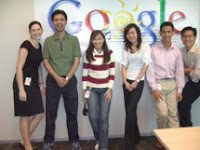
E-Services Philippines

IMMAP General Membership Meeting

Putting Your Business Online Seminar with PTTC
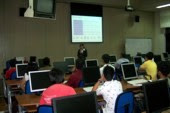
Ituloy-Angsulong SEO Philippines Awards Night

Singapore

E-Services Philippines

IMMAP General Membership Meeting

Putting Your Business Online Seminar with PTTC

Ituloy-Angsulong SEO Philippines Awards Night

Tuesday, February 20, 2007
Google is Hiring Pinoys!
This is an exciting opportunity that you shouldn't pass up!
Don't wait for three months before you actually apply (like I did).
APPLY NOW!
Adwords Account Coordinator (Tagalog)
http://www.google.com/support/jobs/bin/answer.py?answer=53651
Adwords Associate (Tagalog)
http://www.google.com/support/jobs/bin/answer.py?answer=53652
Jobs will be based in Singapore.
Do you want to get important announcements like this? Then join the GPhilippines Googlegroup. Sign-up today.
Don't wait for three months before you actually apply (like I did).
APPLY NOW!
Adwords Account Coordinator (Tagalog)
http://www.google.com/support/jobs/bin/answer.py?answer=53651
Adwords Associate (Tagalog)
http://www.google.com/support/jobs/bin/answer.py?answer=53652
Jobs will be based in Singapore.
Do you want to get important announcements like this? Then join the GPhilippines Googlegroup. Sign-up today.
Are Pinoys Watching Too Much Telenovelas?
Find out in the updated Google Zeitgeist for the Philippines:
http://www.google.com/press/intl-zeitgeist.html#ph
And I do have a confession about this.
http://www.google.com/press/intl-zeitgeist.html#ph
And I do have a confession about this.
Friday, February 16, 2007
Gmail Theater (Gmail opens sign-ups)
You can now easily sign-up for Gmail.
No invitations needed!
Coolness!
Some cute videos to watch:
Gmail Theater: Act 1 Attack of the Spam
http://www.youtube.com/watch?v=_YUugB4IUl4
Gmail Theater: Act 2 The in-boxer
http://www.youtube.com/watch?v=jTq8N4q0CTA
Gmail Theater: Act 3 The Isle of Lost E-mails
http://www.youtube.com/watch?v=ujt_UT0MvH4
Gmail Theater: Act 4 Chat In The Name of Love http://www.youtube.com/watch?v=ZVuXmmXOIj0
No invitations needed!
Coolness!
Some cute videos to watch:
Gmail Theater: Act 1 Attack of the Spam
http://www.youtube.com/watch?v=_YUugB4IUl4
Gmail Theater: Act 2 The in-boxer
http://www.youtube.com/watch?v=jTq8N4q0CTA
Gmail Theater: Act 3 The Isle of Lost E-mails
http://www.youtube.com/watch?v=ujt_UT0MvH4
Gmail Theater: Act 4 Chat In The Name of Love http://www.youtube.com/watch?v=ZVuXmmXOIj0
Monday, February 05, 2007
February Activities
E-Services Philippines
February 15 and 16
EDSA Shangri-la Hotel, Ortigas
Booth: Isla Ballroom, IB23
Website Marketing Seminar
February 23, 2007, 8:30 to 11:00 a.m.
Philippine Trade Training Center
(for details on how to attend please contact PTTC)
SEO Philippines Ituloy Angsulong Awards Night
February 23, 2007, 7:00 p.m. to sawa
(for details please check here)
De La Salle Canlubang
February 28, 2007, 9:30 to 10:30 a.m.
February 15 and 16
EDSA Shangri-la Hotel, Ortigas
Booth: Isla Ballroom, IB23
Website Marketing Seminar
February 23, 2007, 8:30 to 11:00 a.m.
Philippine Trade Training Center
(for details on how to attend please contact PTTC)
SEO Philippines Ituloy Angsulong Awards Night
February 23, 2007, 7:00 p.m. to sawa
(for details please check here)
De La Salle Canlubang
February 28, 2007, 9:30 to 10:30 a.m.
Subscribe to:
Posts (Atom)